The only Ableton track renaming tool you need.
This max4live device allows you to easily batch rename tracks and groups and change track/group colors inside the arrangement or session view of Ableton Live.
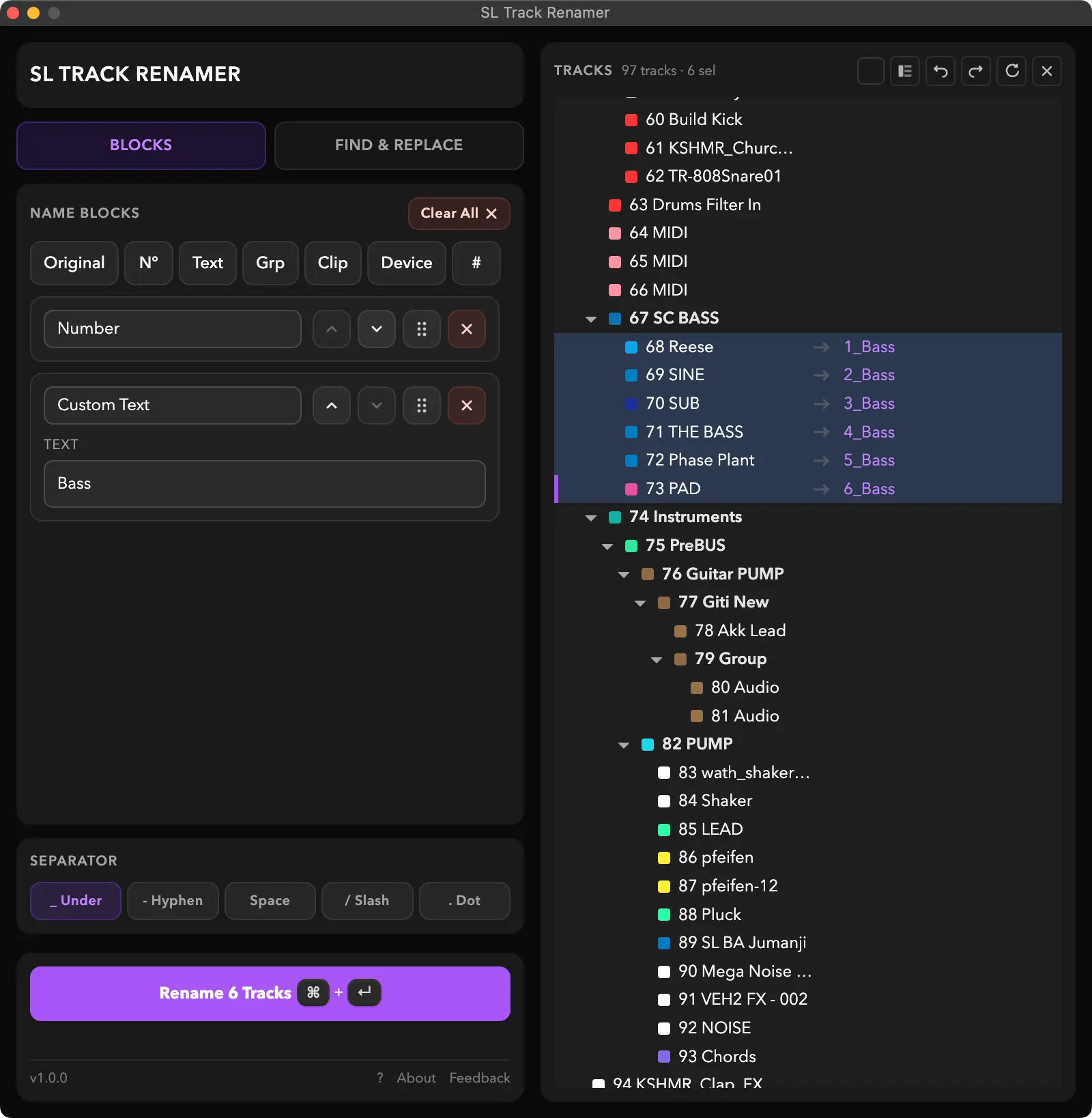
Build names from blocks
Compose track names from other elements inside an easy to use editor, pick a separator, hit rename.
- Original — the existing track name
- N° — dynamic sequential numbering
- Text — custom text
- # — ableton hashtag number

Compose names from blocks. Hover a highlighted block to preview.

Numbering restarts inside each group parent.

Inherit the name of the first clip on the track.

Grab the name of the first device - Operator, Serum ...
Find & Replace
Find and Replace track and group names across the whole Ableton Live Project.

But wait - there's more!
There's more features ... and that's not even all of them. Scroll down a bit more to try it out if you're on desktop!
Choose your separator
Pick which separator should be used between the individual blocks.
Rename what you have to
The built in track browser lets you choose which tracks to rename. Make your own selection, or select everything with Cmd/Ctrl + A.
Preview renames
See the new track names before applying them. Tweak the blocks and separators until it's just right, then hit rename and watch it go.
Quick (inline) rename
Need to manually rename tracks by hand? You can still use Cmd/Ctrl + R to change track names by hand.
Manage colors
Quickly apply (or copy and paste) colors to tracks or groups. Apply a group's color to every child track with one shortcut.
Change style
Switch between a modern and the classic Ableton track style.
See it in action
Wanna try it out?
Use this interactive preview to check out how the SL Track Renamer works.
Built for power users
When the SL Track Renamer is focused, it takes over your keyboard
shortcuts.
Press ? inside the device to see every shortcut.

Matches your Live theme
Dark or light, SL Track Renamer fits in.


Works with Ableton Live
The following Ableton Live versions are supported:
* Untested, but should work.
Requires Max for Live — included with Ableton Live Suite, or purchased separately.