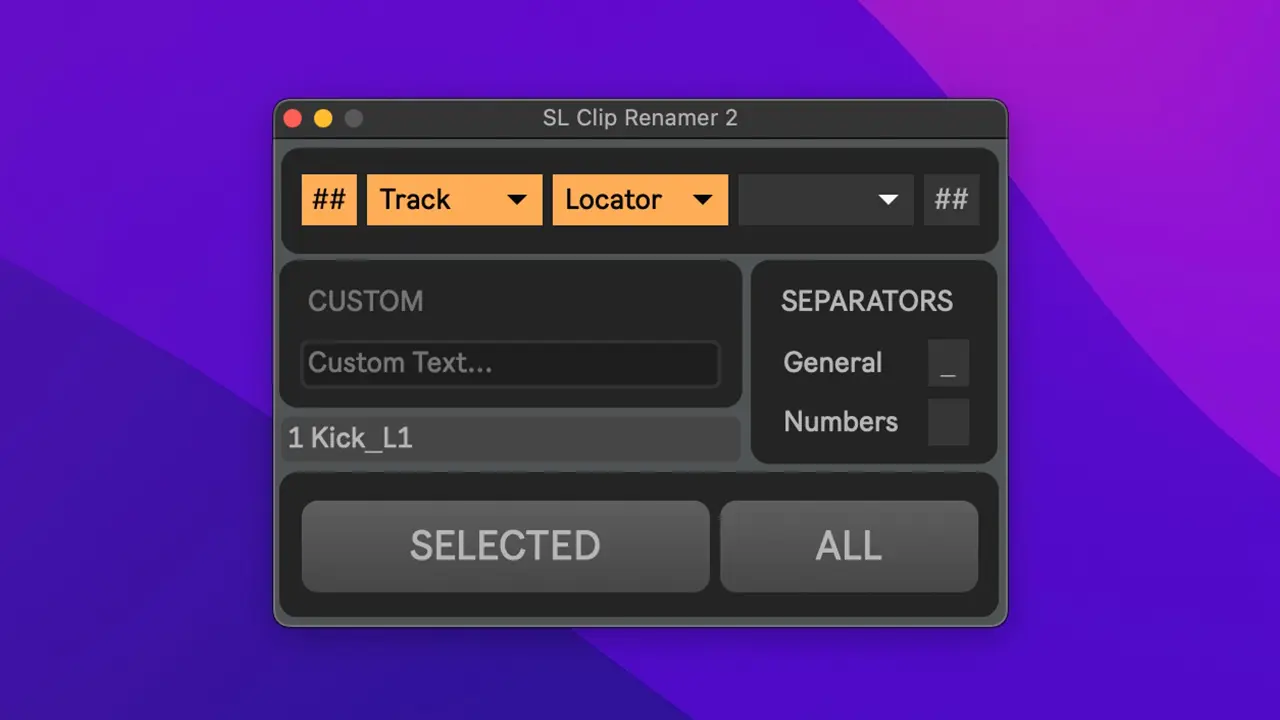
SL Clip Renamer
This max4live device allows you to easily batch rename all audio or midi clips of multiple selected tracks, or of all tracks in the arrangement or session view of Ableton Live.
Ratings
This is very useful to me thanks
Reply from creator
You're welcome! I'm glad it helps :)
It's great but it completely overwrites the original name. I'd like to add text before or after existing names.
Reply from creator
I just added this feature in the newest version!
Thank you so much for building this. Just wondering if it's possible to A)Rename multiple tracks to the Locator name at the same time? B)Rename to the Locator with option to add the tackname as well? So if the Locator is like "Cue19" and there track is called "Stem_Drum," I could automatically with one click rename to "Cue19_Stem_Drums," "Cue19_Stem_Bass," "Cue19_Stem_Keys." Etc? Thank you.
Reply from creator
Thank you for those feature suggestions! This has been added in version 2.0 :)
Hei SiLi! Very practical and bought it straight away. I have some small suggestions: Regardless of the theme, the text in the buttons below is dark grey with a grey bar. Not so easy to read. Maybe it would be great to rename them to Selected, All, Locator. You could also add info texts for the Ableton info box at the bottom left.
Reply from creator
Hey, Thanks for your suggestions, all great ideas! The UI has been updated in version 2.0
Love this. Any chance we could filter the track number from the clip name? By Regex, or the # if the # is visible, though I suspect that's Ableton provides the actual track name?
Reply from creator
Thanks! I'll contact you directly so we can discuss this.
Ask a question
Sign in to ask a question.
The naming of the audio clips can be adjusted using different settings (see "Features" below), including using the name of locators set up in the Live Project.
Compatible with Ableton 12, 11 ... and probably in 10 and 9 (only works if you have access to max4live - in the Suite Version of Live, or you can purchase max separately).

Demo (of version 1.0):
https://youtu.be/Jcuxz1T2E80
How to use:
1. Place the Max device on any track
2. Click "Open" to open the SL Clip Renamer floating window
3. Select a track or multiple tracks
4. Choose your options
5. Hit "SELECTED" or "ALL"
Made a mistake?
-> just use the usual "Edit > Undo (Ctrl + Z)" and it will undo the renaming.
Changelog:
--------------------------------------------------------------------------------------------
[2.1]
• Also works in Session View now
• New Dropdown option “Original” (use original clip name)
• New Dropdown option “Scene” (use scene name - session view only)
• New “(A)” and “(S)” indicators for options (A = Arrangement, S = Session)
• New Separator option “-” (For consistency reasons, both separators are now “_” by default)
• When using sequential numbering, it will automatically add the necessary amount of leading zeroes to the number (01, 02 - 001, 002 …)
• It will now save the Clip Renamer settings inside Ableton Live Projects
--------------------------------------------------------------------------------------------
[2.0.1]
• Fixed multiple issues with the clip name preview. It should now show the preview as you'd expect (empty preview if there's no clips available on any of the selected tracks for example...). It's also differentiating between hovering over the "SELECTED" or "ALL" button.
--------------------------------------------------------------------------------------------
[2.0]
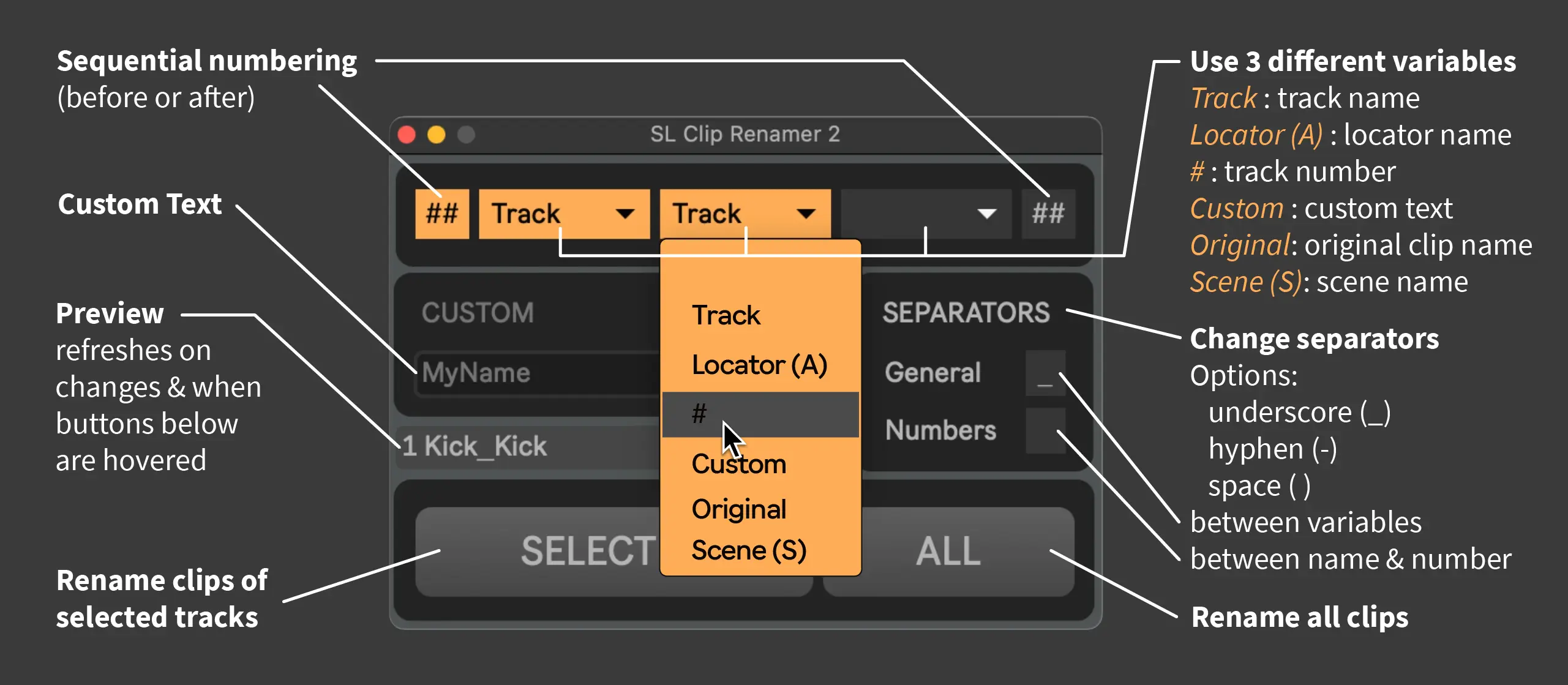
• Improved UI that lets you build your own clip name more easily by combining the following options:
Track Name
Locator Name
Track # Number
Custom Text
(Sequential Clip Number)
• Preview the clip name (based on the first track and the first locator) - refresh the preview by hovering over one of the buttons at the bottom
• Separators can be adjusted (”_” and “ “ are the current options)
• Works with multiple selected tracks
• Added tooltip hints / Ableton info box text
• The theme now adjusts to Abletons main theme
--------------------------------------------------------------------------------------------
[1.3]
• Choose whether to include the ableton track number (# symbol) in the clip names or not
--------------------------------------------------------------------------------------------
[1.2]
• Added "Rename clips based on locators"
• Improved performance (faster renaming - renaming a lot of clips might freeze UI and take some time!)
--------------------------------------------------------------------------------------------
[1.1]
• Added "Rename all clips at once"
• Some performance and UI/UX Updates
--------------------------------------------------------------------------------------------
[1.0]
• Rename all audio or midi clips of the selected track to the name of the track.
• Rename to a custom name.
• Add numbers to the clip names (append or prepend).